WooCommerce: How to Send Newsletters to Your Customers

Sending emails (newsletters, broadcasts or similar) to customers is an integral part of a WooCommerce marketing strategy. Email marketing is an outstanding tool that allows you to connect with your customers, keep them informed about your products, services, or discounts, get them to return to your site, and drive new sales. 

Unlike other popular channels, like social media – emails provide a personal touch and let you reach your target consumers directly in their inboxes. Statistics suggest that while 87% of B2B marketers leverage email as a distribution channel – 79% of B2C marketers use emails to promote their new blog posts and articles. 

And one such critical email marketing solution is email newsletters. They are extremely beneficial to stay in touch and build trustworthy relationships with existing and potential customers. 

So, if you’re looking for solutions to send automated newsletters to your WooCommerce customers – you’re at the right place. But first, let’s learn more about the benefits of actually sending newsletters. 

Continue reading WooCommerce: How to Send Newsletters to Your Customers


WooCommerce: File Upload Plugins For Order Personalization

One of the biggest mistakes you can make as a WooCommerce store owner is offering limited product customization abilities. Product personalization is a critical component of online shopping that helps provide a better customer experience and results in a high retention rate.

75% of customers appreciate businesses that offer personalized offerings, and a Deloitte consumer review suggests that 1 in every 5 customers are willing to pay 20% more for a custom-designed and personalized product. 

A great way to do this is by offering an image upload solution for products for your customers to improve customer satisfaction and generate more revenue for your store. 

This article shows the top solutions that make uploading images for products for customers a breeze and enhance their customization abilities. But before we get into them, let’s look at more benefits of offering this capability in your store and how it affects your business bottom line. 

Continue reading WooCommerce: File Upload Plugins For Order Personalization

WooCommerce: The Need For Custom Order Tables

Scaling WooCommerce stores while ensuring optimum performance and pushing a store live from staging while keeping all the orders and customers intact are significant problems stores face, even today. 

Each time a consumer places an order on a WooCommerce store, it adds dozens of order data and entries to the WordPress postmeta database table – which creates a major problem for stores that handle huge volumes of orders and eventually results in performance degradation. 

Hence, WooCommerce received several requests over the years to resolve this issue and make separate and custom tables for each WooCommerce entity – without affecting the site and existing extensions. 

And finally, WooCommerce is now working on the custom order tables implementation to solve the bottleneck issues and ensure more store stability. 

In this article, we introduce you to the WooCommerce custom order tables – what is it, the new tables added to the structure, and how they can benefit your WooCommerce store. Let’s begin!

Continue reading WooCommerce: The Need For Custom Order Tables

WooCommerce: How To Enable Stripe Payments

Providing payment options on your WooCommerce store that your customers trust and meet their needs is the key to ensuring a satisfied customer journey and eliminating cart abandonments. 

According to the Baymard Institute’s research, the average cart abandonment rate amongst buyers is 69.8%, and 6 out of 10 times, it’s because of issues related to payments. 

While some shoppers abandon carts because of long checkout processes and the lack of simple payment options, others don’t find the payment site legitimate enough to provide their credit card information. Thus, the payment method plays a huge role in customers’ buying decisions. 

Stripe is a great option. It’s simple-to-use, flexible, and one of the most popular payment solutions for WooCommerce. It makes accepting and processing credit card payments a breeze and leaves your customers with a fast checkout process. 

This article takes you through some of the best free and premium WooCommerce Stripe plugins for your store. But first, let’s learn more about the advantages of using Stripe as a payment option for WooCommerce. 

Continue reading WooCommerce: How To Enable Stripe Payments

WooCommerce: 10 Crucial Issues That Should Be Fixed Right Now

I just spent the last 3 days in Porto with another 2,300 WordPressers at the first in-person WordCamp Europe since Berlin 2019. I had a blast, held a nice (yet long) workshop, spoke to many, but got tired too soon.

Later on, I realized that that tiredness was something more serious – in fact I tested positive against COVID for the first time in my life, and I’m now in self-isolation hoping it won’t last long… Another 7 days without my kid – send help!

Anyhow, what really struck me at WCEU 2022, and based on various chats and some data that I’ll share below, is that the WooCommerce ecosystem is in trouble.

A nicer way to put that? WooCommerce is not moving forward as fast as it should, and unless some key issues are addressed right now, in a few years time we all may pay the consequences.

Please note, this is not a rant. It’s a proper analysis, full of actionable information.

@ WooCommerce team - if you're reading this - my plan is to give you constructive feedback and tell you what the community (really) thinks, needs and wants, so that you can get a better picture of the current situation. I know you've already started working on this, so this is just a recap/reminder and a way to get the whole community realigned. 

In this post, I will share my worries, my fears, the current WooCommerce issues, some data I collected at WCEU 2022 and then a list of actionable solutions that may be implemented in order to clear the backlog and get back on track – asap. Enjoy!

Continue reading WooCommerce: 10 Crucial Issues That Should Be Fixed Right Now

WooCommerce: 10 Most Popular Free Plugins

WooCommerce is one of the most popular eCommerce platforms that allows you to launch your online business, build high-functionality online stores for your clients, or take your brick-and-mortar store online.  

Powering over 28.19% of all online stores, WooCommerce’s versatility and open-source nature allow businesses to build their dream store, add unlimited products and consumers, take orders, and increase sales.

The core WooCommerce plugin holds 68% of the usage distribution – the highest on the internet. However, despite its popularity, the official WooCommerce plugin lacks several features you might need for your eCommerce store. But to make up for that, it offers several plugins that allow you to enhance your store’s functionality and improve customer experience. 

But choosing from over 4228 WooCommerce plugins from WordPress.org can get overwhelming. So, to make your job easier, we’ve hand-picked the best free WooCommerce plugins you can use on your store to take it to the next level. Let’s dive in!

Continue reading WooCommerce: 10 Most Popular Free Plugins

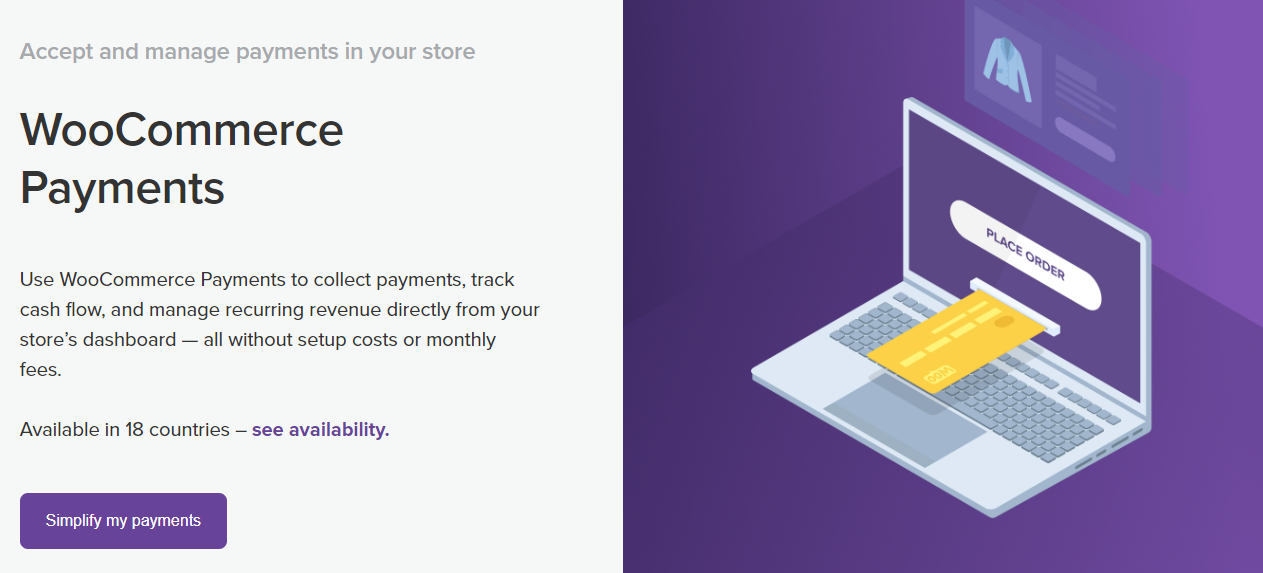
WooCommerce: How to Enable WooCommerce Payments

Payments on your eCommerce store are the most important touchpoint between your customers and business sales. Hence, an optimum payment solution that’s seamless, quick, and secure plays a critical role in ensuring a quality customer experience.

Over 17% of customers abandon their carts because of concerns with payment security, and 13% abandon them because the price is in a foreign currency. Thus, it’s vital to choose a payment method that accepts global currencies and ensures a secure checkout – while making the checkout process easy for your customers. 

However, from including digital wallets to third-party payment solutions and managing transactions – choosing a suitable payment solution that facilitates this process for your WooCommerce store can get challenging. This is where WooCommerce Payments comes into the picture. 

In early May 2020, WooCommerce released its new version WooCommerce 4.1, with two new features – including WooCommerce Payments, which provides a simplified way to accept and manage payments in your store. 

This article shares more about WooCommerce Payments, their pros and cons, and an easy way to enable them on your WooCommerce store. 

Continue reading WooCommerce: How to Enable WooCommerce Payments

WooCommerce: How to Split Variable Products Into Simple Products

If you sell simple products with no variations like books or software – the standard WooCommerce product page is enough and an ideal solution for your WooCommerce store. However, it isn’t the best solution for stores that sell variable products with multiple product variations. 

A variable product comes in different variations. A simple example is clothing items, including a shirt – with multiple variation attributes like size, color, and pattern. So, if a shirt is a variable product – a medium-sized shirt, small-sized yellow shirt, or large-sized printed shirt are its product variations.  

Thus, a product variation is the final product choice of the customer once they select multiple attributes belonging to a variable product. 

By default, WooCommerce displays all your variable products as just that – products with multiple different variations on its shop page. However, you might need a way to display each product variation as an individual product on your WooCommerce shop page to improve customer experience, search functionality and increase overall sales. 

So, in this article, we’ll see different ways through which you can split your variable products to show them as a single variation product on your WooCommerce store. But first, let’s see how this process can help your store’s bottom line. 

Continue reading WooCommerce: How to Split Variable Products Into Simple Products

WooCommerce: Why Use A Product Configurator Instead of Variations

One of the biggest marketing trends in recent years is the increasing shift towards delivering customized and personalized product experiences to customers. 

Customers are increasingly looking for online and eCommerce stores that provide order customization options for gifting purposes and the ability to add their personal and unique touch to their orders. While 90% of the U.S. customers find the idea of personalization appealing – impersonal shopping experiences frustrate 71% of customers

Thus, as a WooCommerce store owner – it’s important to strive and meet the increasing consumer demands to prevent dissatisfaction, improve their shopping experiences and increase the overall sales.  

This article will see some easy yet impactful ways to deliver a personalized customer experience and order customization. But first, let’s see how it can benefit your WooCommerce store. 

Continue reading WooCommerce: Why Use A Product Configurator Instead of Variations

WooCommerce: Enable Advanced Coupon Features

While as a WooCommerce store owner, you keep looking for ways to increase your store’s sales and revenue – the same way, your customers also consistently look for opportunities to save money when purchasing online.  

And in this situation, offering coupons and discounts acts as a win-win for your business and customers. 

Statistics suggest that 51% of U.S. buyers search for coupons online before making an online purchase, and over 80% of millennials use coupon codes when shopping online. 

Every online shopper loves a good deal. You can tap into this consumer behavior to attract buyers and increase sales through coupons on your WooCommerce store. 

So, in this article, we see the top WooCommerce coupon plugins you can use. But first, let’s learn more about the benefits of offering coupons to your customers. 

Continue reading WooCommerce: Enable Advanced Coupon Features

WooCommerce: Top Product Filter Plugins For Your Store

As your WooCommerce store grows – so do its product variants. On average, a WooCommerce store owns hundreds of inventory items and product variants for sale. 

While your goal might be to offer maximum product options to your visitors, with such a wide range of product variations – it can get challenging for your customers to find the exact product they’re looking for. 

This is where product filters come into play. Statista suggests that 61% of buyers consider the ease of finding products the most important aspect of an online shopping experience.  

No one has time to browse through the long product listings as it’s easier for customers to switch to another store that facilitates product discovery. Thus, product filter options enable your customers to browse through products of their preferences – positively impacting the user experience and increasing the chances of sales. 

This article shares the top product filter solutions for your WooCommerce store. But first, let’s learn more about their benefits and how this simple option can affect your store’s bottom line. 

Continue reading WooCommerce: Top Product Filter Plugins For Your Store

WooCommerce: How to Enable Apple Pay and Google Pay

Not offering different payment options for your customers on your WooCommerce store is a call for a high cart abandonment rate and lost sales and customers. 

Your store’s payment gateway has a direct impact on the customers’ buying decisions. Don’t take our word for it – statistics suggest missing payment methods is the reason for 7% of cart abandonments in eCommerce stores. 

As a result, the more payment options you offer to your customers – the more sales you can win for your store. 

Besides PayPal and credit cards – digital and UPI mobile payment options like Apple Pay and Google Pay are amongst the most popular and widely adopted payment methods by customers. Statistics anticipate that from 2021 to 2025 – the number of mobile proximity payment users in the United States to grow from 100 million to a whopping 125 million.

Thus, as customers become increasingly reliant on mobile payment solutions like Apple Pay and Google Pay – it’s important to integrate these payment options in your WooCommerce store to ensure high customer satisfaction.

So, in this article, we share the top ways to configure Google Pay and Apple Pay in WooCommerce. But first, let’s learn more about the benefits of this configuration for your store. 

Continue reading WooCommerce: How to Enable Apple Pay and Google Pay

WooCommerce: A Guide to Selling LearnDash Courses

It’s no secret that selling online courses is a lucrative business. According to Forbes, the online course industry’s revenue in 2018 alone reached a staggering $46 billion dollars.

So, how can you take advantage of this growing market? 

With the wide range of easy-to-use learning management systems and e-commerce solutions available, it is easy for any educator or knowledgeable expert to start monetizing content.

Using WordPress as a starting point, LearnDash and WooCommerce make a powerful duo for running an e-learning business.

In this guide, we’ll take a brief look at how you can use LearnDash to sell online courses and walk you through the steps you need to follow to set up LearnDash with WooCommerce.

Continue reading WooCommerce: A Guide to Selling LearnDash Courses

WooCommerce: How To Set Up Complex Shipping Rules

WooCommerce inbuilt shipping settings are quite simple – too simple, sometimes.

WooCommerce merchant often require a complex shipping setup, depending on the industry or the (very expensive) courier fees.

But shipping is much more: conditional logic, marketing, user experience.

Setting shipping costs with a handy “table rate” plugin, combining them with cart-based marketing actions and guiding your customers through the buying process can help you sell more and reduce your return rate. 

Explaining to your customers why they can’t buy a certain product, or encouraging them to add another one to the cart to get a discount, or blocking certain shipping rates so that your courier doesn’t overcharge you… there are so many needs for a more advanced shipping setup.

In this article, we’ll tale a look at the importance of shipping costs, why conditional logic is a game changer and why customers love to get free shipping. Enjoy!

Continue reading WooCommerce: How To Set Up Complex Shipping Rules

WooCommerce: How to Add Custom Fields to Variations

When selling products on your WooCommerce store – you want to provide as much product information as possible to your customers. This is especially because, unlike a physical shop or a brick and mortar store – your online customers cannot physically touch or experience the products before buying them. 

Hence, providing additional information and keeping customers informed about the multiple facets of your products is essential. And an effective way to enhance customer experience is by adding custom fields for product variations. 

Product variations are product attributes – including the product’s size, color, pattern, texture, and style. On the other hand, WooCommerce custom fields allow you to add additional data for individual products – to display on a single product page. 

Custom field variations let you add data unique to an individual product – which can include anything from the product’s ISBN, additional product specifications, radio buttons, and checkboxes. Thus, custom fields for product variations could either mean: 

  • Fields to display additional product variation’s information, or 
  • Fields to accept customer input to customize the product variation through dropdowns or radio buttons. 

So, in this article, we share simple yet efficient ways to add custom fields to product variations. But, first – let’s see how adding fields for product variations help your WooCommerce store. 

Continue reading WooCommerce: How to Add Custom Fields to Variations