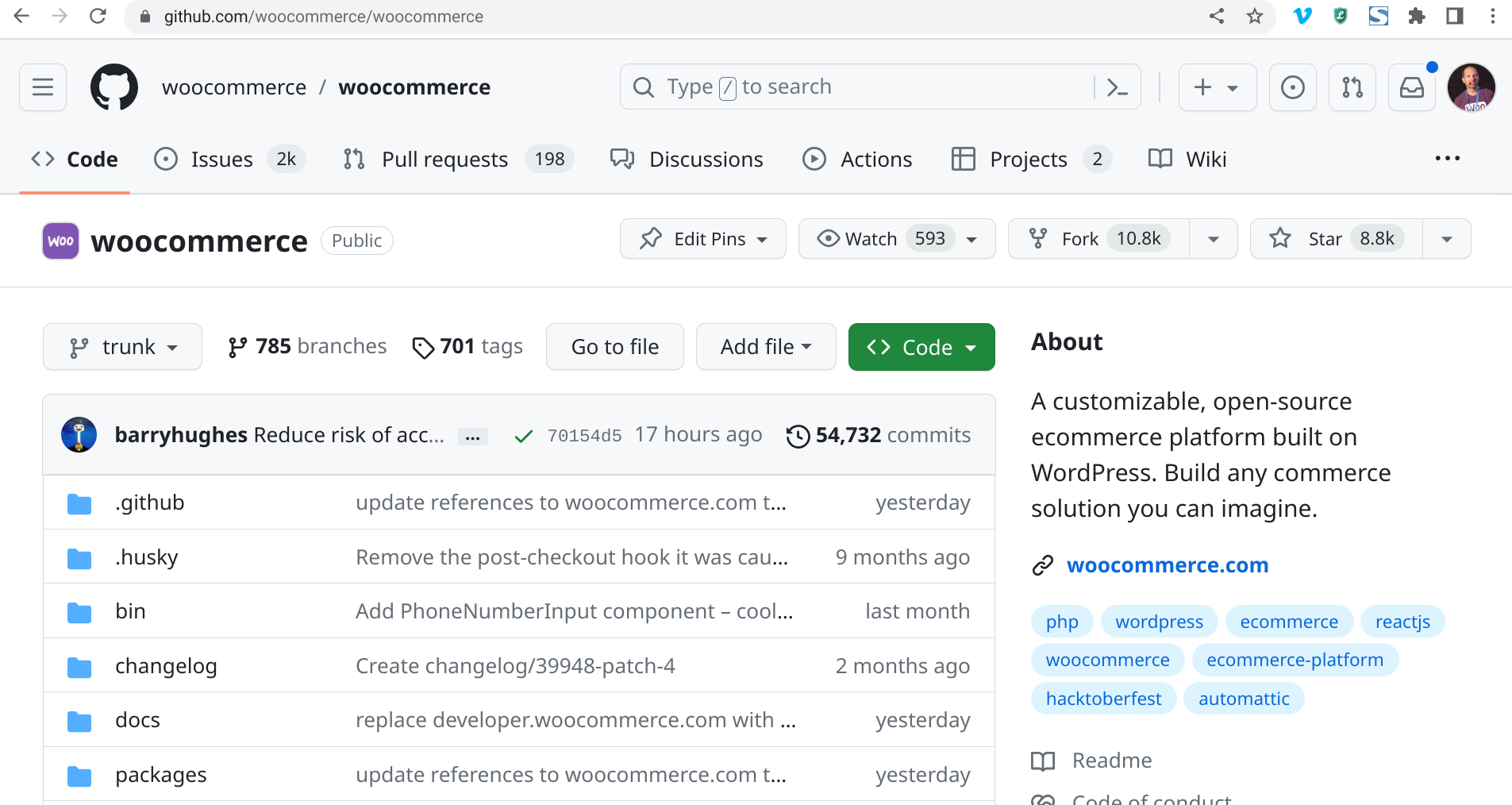
Learn how to contribute to the WooCommerce plugin code by submitting your first pull request (PR).
Hosted by Rodolfo Melogli
The recording is now available!
If you are a member, please log in.
Otherwise, here is why you should join the Club.
Masterclass overview
My first WooCommerce PR attempt was a disaster… the WooCommerce plugin developers are still chasing me!
That’s because I didn’t read the docs, I forgot to add important information for testing my code changes, and I even added a nice WooCommerce bug because I forgot to declare a variable 😐
Well, well, well – let’s change that, and go through the process once again, live, hoping you can learn what not to do.
Why a pull request, by the way? The thing is that maybe you happened to find a bug or a potential WooCommerce plugin improvement while working on a website. Maybe you really needed a “filter” in that template file, and that would have made a huge difference to your development flow.
Now you have two choices: (1) you could give out on Twitter or (2) you could actually fix it by yourself and help WooCommerce move forward.
The latter is called contributing to the WooCommerce Core via a GitHub pull request.
In this class, we’ll go through a live demonstration on how you can implement your own fixes to the WooCommerce plugin in a simplified way (such as adding a new hook) with a free GitHub account and some PHP coding skills.
This is ideal for beginner developers, and such a great way to understand how this “open-source thing” really works. Let’s learn how we can make WooCommerce better.

Resources
- WooCommerce “Contributing” docs https://github.com/woocommerce/woocommerce/blob/trunk/.github/CONTRIBUTING.md
- WooCommerce “Git Flow” docs: https://github.com/woocommerce/woocommerce/wiki/WooCommerce-Git-Flow
- WooCommerce repo (so you can fork it): https://github.com/woocommerce/woocommerce
- Business Bloomer snippet to reorder My Account tabs: https://fa8faab2-7736-467b-aa28-860b32869022.express.conves.io/woocommerce-move-reorder-my-account-tabs/
What you’ll learn
Requirements
More WooCommerce Masterclasses
Here’s a list of free live webinars and member-only class recordings (we usually take a break for June-August, otherwise you should expect about 2 live classes per month). Make sure to attend live so you can interact with the teacher and the other attendees!
-

WooCommerce Plugin Marketing 101: Your First 1,000 Users
Most WooCommerce plugins never reach 1,000 active installs—but hitting that milestone is crucial for validating your product before going PRO. In this class, I’ll show…
-

WooCommerce Settings API: Build Custom Option Pages
Stop cluttering the WordPress admin menu with separate settings pages! Learn to create professional, native-feeling custom tabs and options right inside the WooCommerce Settings interface.…
-

WooCommerce Database Walkthrough: Tables Explained
Tired of relying on guesswork when querying crucial WooCommerce data? This is your essential tour. We will walk you table-by-table through the WooCommerce database schema,…
-

From Woo Plugins to Shopify Apps Dev: Is it Worth it?
You’ve mastered WooCommerce plugin development. But is the scalable income of the Shopify App Store worth the pivot? This session provides a clear-eyed look at…
-

Avoid Costly Mistakes: Spotting WooCommerce Client Red Flags
Are you tired of projects that go over budget, clients who ghost, or customers who drain support? Bad clients — whether for consulting, development, or…
-

Classic vs Block: Add, Remove & Edit WooCommerce Checkout Fields
Let’s dive into the ins and outs of customizing WooCommerce checkout fields, comparing the Classic Checkout with the Checkout Block. You’ll see exactly what’s possible…
-

Behind the Scenes: The Making of Checkout Summit 2026
What does it really take to build a WooCommerce site that can handle a major international conference? For Checkout Summit 2026, I started with nothing…
-

Supercharge WooCommerce With Custom Product Options
Custom product options (“add-ons”) in WooCommerce can do much more than just add text boxes or checkboxes to the product page. In this class, we’ll…
-

Send These 7 WooCommerce Emails & Watch Sales Grow
Think email marketing is too complicated? Think again… If you’re only sending WooCommerce order emails, you’re leaving money on the table. With the right premium…
-

Spotting WooCommerce Conversion Rate Killers: A Live Audit
In this class, I’ll be auditing several live WooCommerce stores to identify and analyze conversion rate optimization (CRO) issues. Whether it’s slow checkout, poor product…
– BACKED BY –

Is your WooCommerce store prepared for traffic spikes? Improve speeds up to 200% with our managed WooCommerce hosting. Enjoy scalable server resources, rock-solid security, and 24/7 support.