WooCommerce: How to Test Geolocation?

Great question, isn’t it?

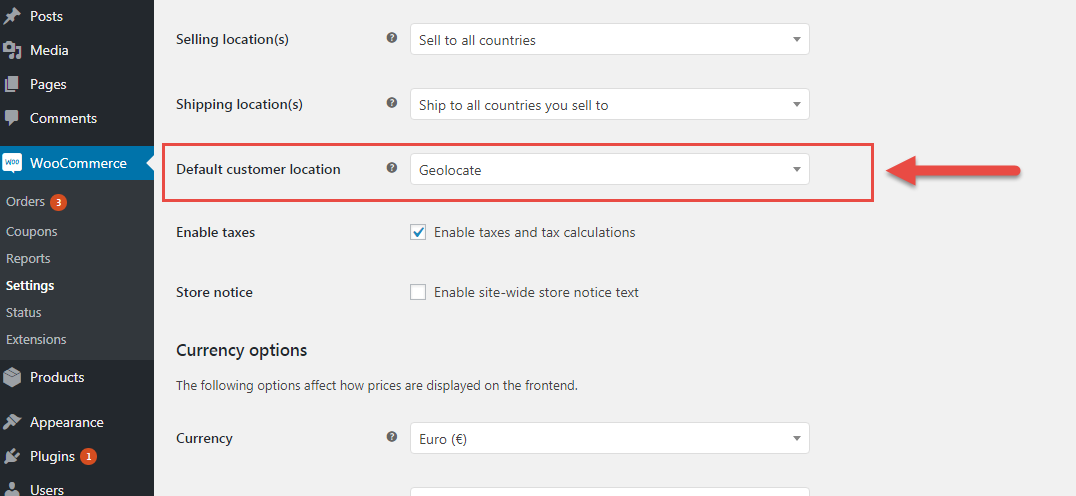
How do you make sure your shipping, taxes and currency settings are working properly when they depend on geolocation and you can only test from a single world location?

WooCommerce uses a free geolocation service called MaxMind. By default this is active via the settings but can be disabled. The set of functions (or class) that WooCommerce uses is in the /includes folder, and it’s called Class WC_Geolocation.

Continue reading WooCommerce: How to Test Geolocation?

WooCommerce: Should I Add Custom Code Via WP Editor, FTP or “Code Snippets”?

There are many ways to customize the functionalities of your WooCommerce website, and Business Bloomer is the living proof, with hundreds of WooCommerce snippets!

However, many developers totally underestimate the pros and cons of each different method for adding custom code to a WordPress website. Someone is familiar with the WordPress editor, others tend to install “Code Snippets” plugins to make things easier for them and the website owner (on paper), others exclusively use FTP / SFTP or more advanced methods.

So, today I want to remind you what is the ONLY way you should be customizing WordPress from now on.

Continue reading WooCommerce: Should I Add Custom Code Via WP Editor, FTP or “Code Snippets”?

WooCommerce: How to Enable Multi-Currency?

If you got here it’s because you’re looking to increase your sales conversion rate by enabling “Multi-Currency” in your WooCommerce website.

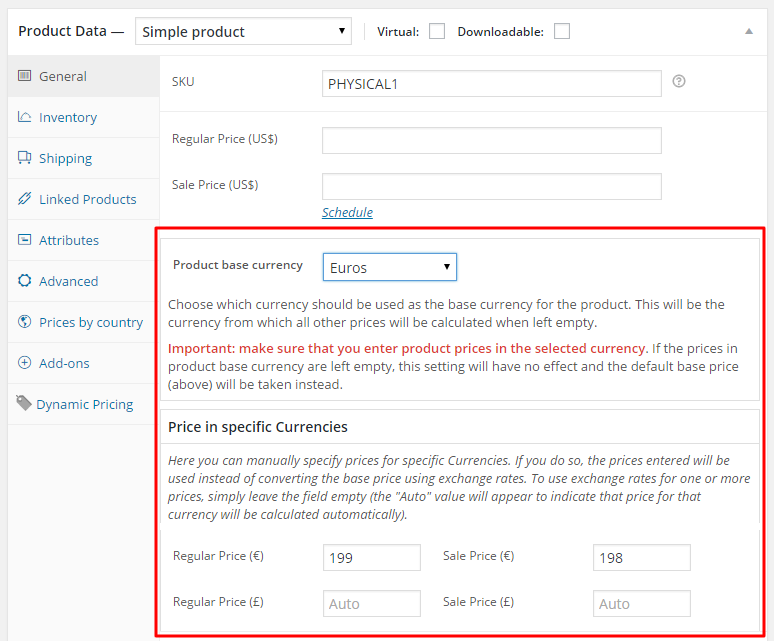
The concept behind the currency switcher is simple: if I’m based in Europe I’d love paying in Euros, while if I were based in US I wouldn’t fancy the same treatment and I’d prefer paying in US Dollars – and so on. The more currencies, the higher your conversion rate.

Unfortunately you can only pick one currency from the WooCommerce settings, so you’ll need a plugin for enabling Multi-Currency. And despite there are many WooCommerce currency switcher plugins out there, there is one that stands out from the crowd.

A good currency switcher plugin for WooCommerce has many requirements. First of all, great support and clean code – when dealing with online payments you have to be sure everything works perfectly and that online customers don’t abandon the checkout. Second, Multi-Currency should work together with geolocation: manually selecting currencies is ok and all, but displaying automatically the correct currency based on IP address is much better UX. Finally, you should have the option of deciding conversion rates yourself or using reliable automatic database checking for daily exchange rate checking.

Thankfully, you can achieve all that with a single plugin.

Continue reading WooCommerce: How to Enable Multi-Currency?

WooCommerce: How to Add to Cart Multiple Variations at Once?

This is a very common issue for B2B / Wholesale WooCommerce website managers. In these case scenarios, clients usually need to add to cart multiple variations to cart on the same page, without refreshing it each time.

For example, a clothing wholesale client wishes to order 100 Medium, 150 Large and 50 Small t-shirts without having to switch dropdown/swatch choice, click on 3 add to cart buttons and wasting time.

Thankfully, there are WooCommerce plugins for that. And today I give you a few premium choices.

No matter whether each variation is displayed in a table and has its own add to cart button or there is a single add to cart button for all variations – ordering more products at the same is a breeze!

Continue reading WooCommerce: How to Add to Cart Multiple Variations at Once?

WooCommerce: What’s the Best Hosting Provider?

As a WooCommerce user, WooCommerce blogger and WooCommerce developer I often hear this question: “What’s the best hosting platform for a WooCommerce website?“.

Well, first and foremost, there is no “best” hosting for WooCommerce (and WordPress in general).

There are so many choices out there that defining the “best” is impossible. Besides, if there were a “best” hosting provider, there would be only one hosting company left in business.

Continue reading WooCommerce: What’s the Best Hosting Provider?

WooCommerce: Should I Noindex Product Tag Pages?

Ah, yet another million dollar question. If you have organized your WooCommerce products properly, you have “N” product categories and “M” product tags, where “M > N” (actually, if there were such a thing in algebra, it should be “M >>> N” as each product should be assigned to 1 category and multiple tags).

This means a lot of duplicate content. Even worse, if you have a product category called “Hats” and a product tag called “Hat”, what would you do if you were Google? Correct – it would probably not index either one as this is confusing in regard to user experience. Continue reading WooCommerce: Should I Noindex Product Tag Pages?

WooCommerce: How to Customize Storefront Theme in a Few Clicks

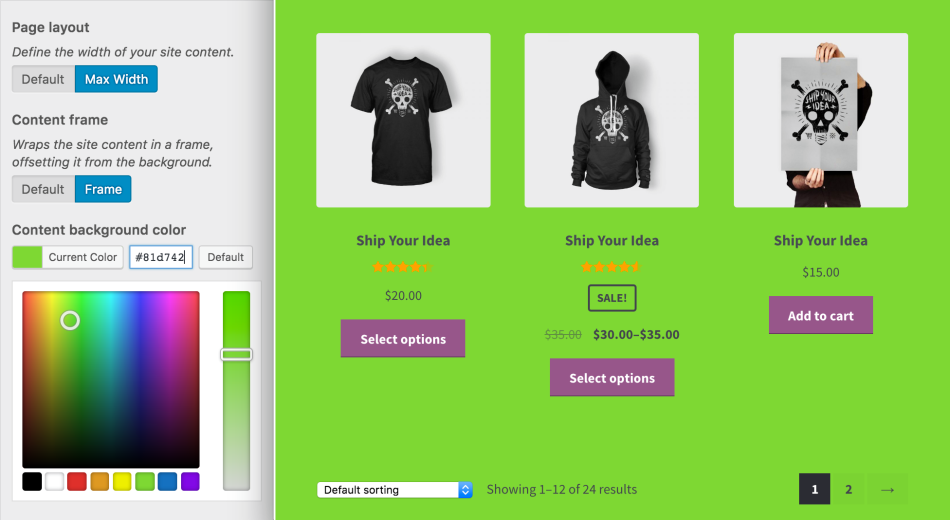
If your WooCommerce website runs on Storefront theme (same as Business Bloomer), then you probably know it doesn’t come with a lot of customization options.

For developers like me, Storefront theme is ideal: it comes with many “hooks”, so that it’s easy to remove, move or add layout elements within a few lines of PHP.

But for those who do not develop or have no intention to waste time troubleshooting missing commas or fighting with FTP clients, well, there’s a plugin for that. And it’s developed and maintained by WooCommerce itself, so you can’t go wrong with the purchase and you’re guaranteed to have a fully working, up to date piece of software for the long term.

So, here’s a quick overview of what the plugin does. Enjoy!

Continue reading WooCommerce: How to Customize Storefront Theme in a Few Clicks

WooCommerce: How Top Brands Design Product Category Pages

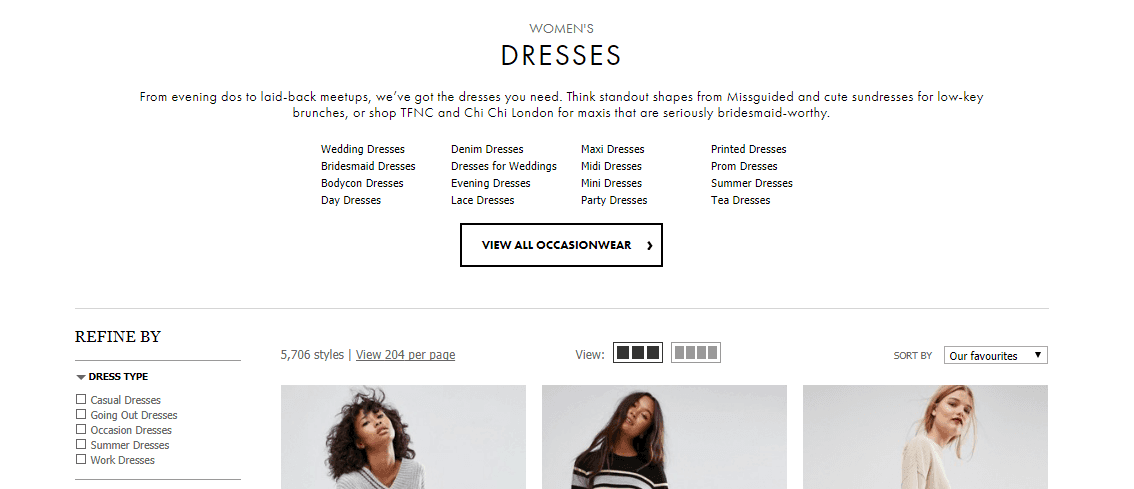
eCommerce Category Description

Selling on the web is a highly competitive game. There is no shortage of both customers and competitors. Big companies crush little companies every day. But that doesn’t mean smaller websites doesn’t have any chance.

Smaller companies can beat larger companies if they focus on the right things. For that, you always need to look for opportunities and act smart when it comes to promoting your brand and products.

Leveraging search engines is one of the cheapest ways to bring customers to your website. For that, you need to make sure you are fulfilling the search query. Since Google is always looking for the best fit & best experience for users based on their query.

Category pages or product listing pages are key hub pages in any E-commerce store. Products tend to come and go but categories stay. So it’s better to build up your category pages.

For example, if you are selling necklaces, you have more than one necklace for sure. So rather than 5 necklace pages competing for the same Necklace terms, optimize the category page for necklaces while optimizing the products for specific necklace style (e.g. Crystal Necklaces). Your primary focus should be ranking your category pages for specific key terms.

Most online stores neglect their category pages and organize them in a way that it does more harm than good. If optimized correctly they can bring in good traffic for top level keywords and reap the rewards for months.

Continue reading WooCommerce: How Top Brands Design Product Category Pages

WooCommerce: Get Product Data (ID, SKU, $) From $product Object

I’ve been wanting to publish this guide for a long while. As a WooCommerce development freelancer, every day I repeat many operations that make me waste time… and one of them is indeed “How to get ____ if I have the $product variable/object?“.

For example, “How can I get the product SKU“? Or “How can I get the product short description“? Or maybe the product stock level, shipping class, tax class, price, regular price, sale price, and so on… hopefully this article will save you time.

Of course, not always you have access to the $product global – but you may know the $product_id. In this case, you can use the wc_get_product WooCommerce function to calculate the $product object – you find this case scenario below.

Other examples might be the order or the cart page. Once again, in here you don’t really have a $product available, so you have to loop through the order/cart items and “get” it. After that, you can then calculate and get any piece of information you require out of $product. Enjoy!

Continue reading WooCommerce: Get Product Data (ID, SKU, $) From $product Object

WooCommerce: 25 Developers You Should Follow

Due to hyper growth & increasing reach of the internet (more precisely 1 million new users each day), more brick and mortar stores are now open to the idea of opening their own online store. Reaching bigger demographics and ability to sell 24 hours outweighs everything.

Since WordPress is affordable & easy to use and manage, a lot of people (27% of all websites are powered by WordPress) builds their website with WordPress. And if they aspire to run a full fledged ecommerce store on WordPress, there is no better alternative available than WordPress default ecommerce plugin, WooCommerce.

WooCommerce is the best free ecommerce plugin for WordPress. Every day thousands of aspiring business owners install WordPress & WooCommerce to fulfill their dream & reach to a new height. There is no indication that this growth will stop anytime soon.

So if you consider yourself a WordPress developer, it’s better to get your hands dirty in WooCommerce development. And here are some of the best developer blogs for learning how to customize WooCommerce.

We’ll kick off the list with the “WooCommerce Developer Blog”, of course. This is the number one blog your should subscribe to because, you know, it’s the official one!

Enjoy!

Continue reading WooCommerce: 25 Developers You Should Follow

WooCommerce: What is it? Is it Free?

WooCommerce is a free software that allows WordPress users to sell products or services directly from their own website.

It is one of the best WordPress ecommerce solutions for building and growing an online business.

It became hugely popular due to its flexibility and simplicity, as well as the variety of free and premium add-ons and a massive developer community. It is a dominating force in the global ecommerce world and accounts for over 20% of the total market share as of 2023.

In this post, we’ll take a look at the WooCommerce history, as well as its pros and cons as an ecommerce software.

Continue reading WooCommerce: What is it? Is it Free?

WooCommerce: 85 Free Plugins for Every Challenge

free woocommerce plugins

WooCommerce is one of the most popular WordPress plugin for adding eCommerce or cart functionality to a WordPress website. According to recent research by aheadWorks, WooCommerce now accounts for 26.5% of the total eCommerce market share. And recent acquisition by Automattic indicates that it has a great future ahead.

WooCommerce is well known for its huge flexibility and vast customization options. There are hundreds of WooCommerce plugins or Extensions available for extending the functionality. If you want some recommendations in this direction, check out some of the best free WooCommerce plugins (sorted by number of active install).

Continue reading WooCommerce: 85 Free Plugins for Every Challenge