
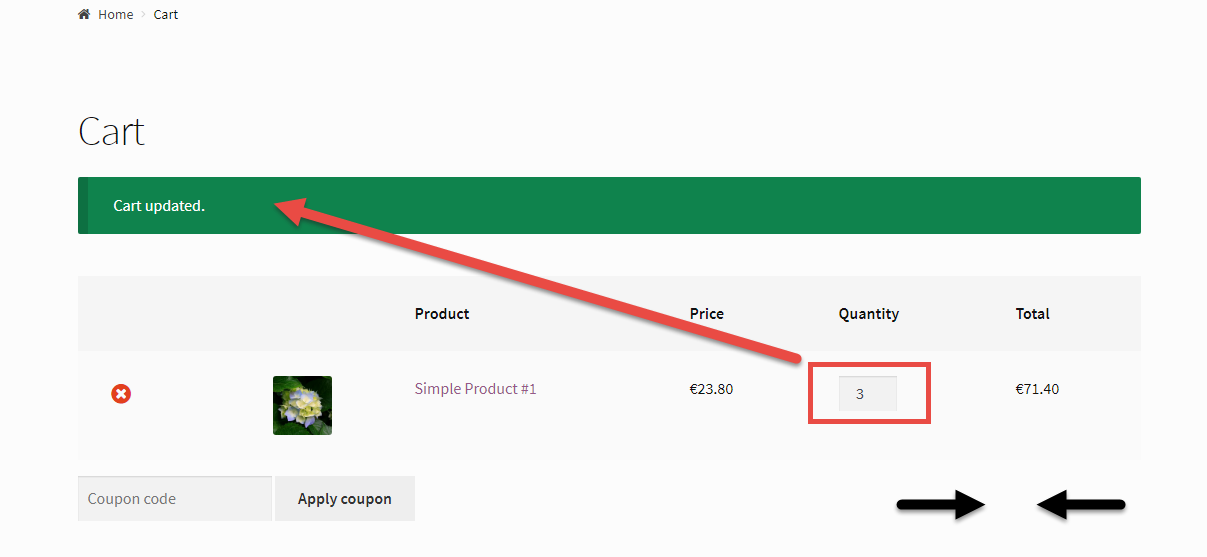
WooCommerce: Automatically Update Cart on Quantity Change

There is a lot of literature online that solves this UX problem – so in this article let’s see if I can give you a simplified, working, updated version.

So, do you hate the “Update Cart” button too? Yes, the one you have to click after you update the quantity of a product in the cart…

Well, you’re in the right place: a simple PHP function, two lines of JQuery, one line of CSS (or a mini-plugin) and the result is pretty straight forward!

Continue reading WooCommerce: Automatically Update Cart on Quantity Change
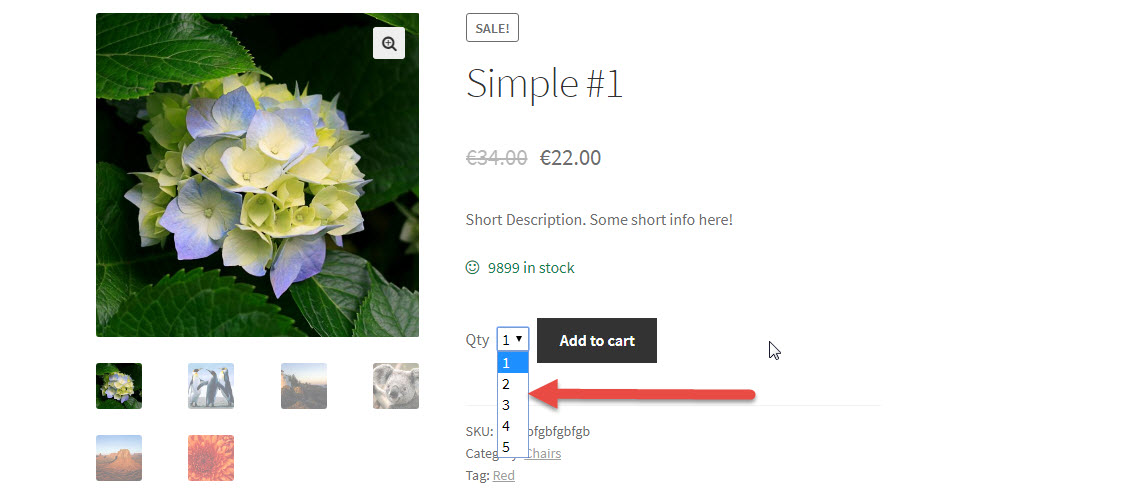
WooCommerce: Change Add to Cart Quantity into a Select Drop-down

The default WooCommerce Add to Cart “Quantity Input” is a simple input field where you can enter the number of items or click on the “+” and “-” to increase/reduce the quantity.

A freelance client hired me to turn that input into a “Select” drop-down. For their audience and UX requirements, it makes sense to let their customers choose the quantity from a drop-down instead of having to manually input the number.

Online there are complex snippets, but I decided to make things easier. The WooCommerce function responsible to generate the quantity input is called “woocommerce_quantity_input“.

Luckily, it’s a pluggable function – which means we can simply add this exact same function name to our child theme’s functions.php to completely override it. Enjoy!

Continue reading WooCommerce: Change Add to Cart Quantity into a Select Drop-down

WooCommerce: Edit Add to Cart Default, Min, Max & Step Product Quantity

Yes, there are many plugins that already achieve this. But my goal at Business Bloomer is to save you from plugin conflicts, delicate updates and to make you learn some PHP.

So, here’s how you can add, with a few lines of PHP, a minimum, maximum, increment and default value to your Add to Cart quantity input field on the single product and cart pages. Who knew it was this easy?

Continue reading WooCommerce: Edit Add to Cart Default, Min, Max & Step Product Quantity

WooCommerce: Only Allow 1 Product in the Cart

Here’s how to limit your WooCommerce Cart to just one product at a time.

This simple solution can be used for many applications. For example, your store may only allow to buy one subscription at a time.

On this same website, for example, customers can only purchase one product at a time so it’s easier for me to manage invoicing and payments, given that I switch PayPal and Stripe accounts based on what’s inside the cart.

Here’s the quick fix – enjoy!

Continue reading WooCommerce: Only Allow 1 Product in the Cart