Reserve Your Free Seat for Our Next WooCommerce Class! Search
Business Bloomer
  • Join
  • WooCommerce Plugins
  • WooCommerce Tips
  • Log In
  • 0
  • Business Bloomer Club
  • WooCommerce Plugins
  • WooCommerce Tips
  • Log In
  • Search
  • Contact
  • Cart

Tag: My Account

WooCommerce: Redirect My Account Tab to URL

It’s nice to know the stuff I share here is used on my own website! In this case scenario, I have a custom “My Courses” tab under the My Account navigation menu; instead of showing the My Account tab content with a link, I want to save time and immediately redirect users to https://fa8faab2-7736-467b-aa28-860b32869022.express.conves.io/woocommerce-online-courses/ instead.

So, how do you redirect My Account tabs to custom URLs? Well, thankfully it’s just a matter of a few lines of code. Enjoy!

Continue reading WooCommerce: Redirect My Account Tab to URL

WooCommerce: Horizontal My Account Navigation Menu

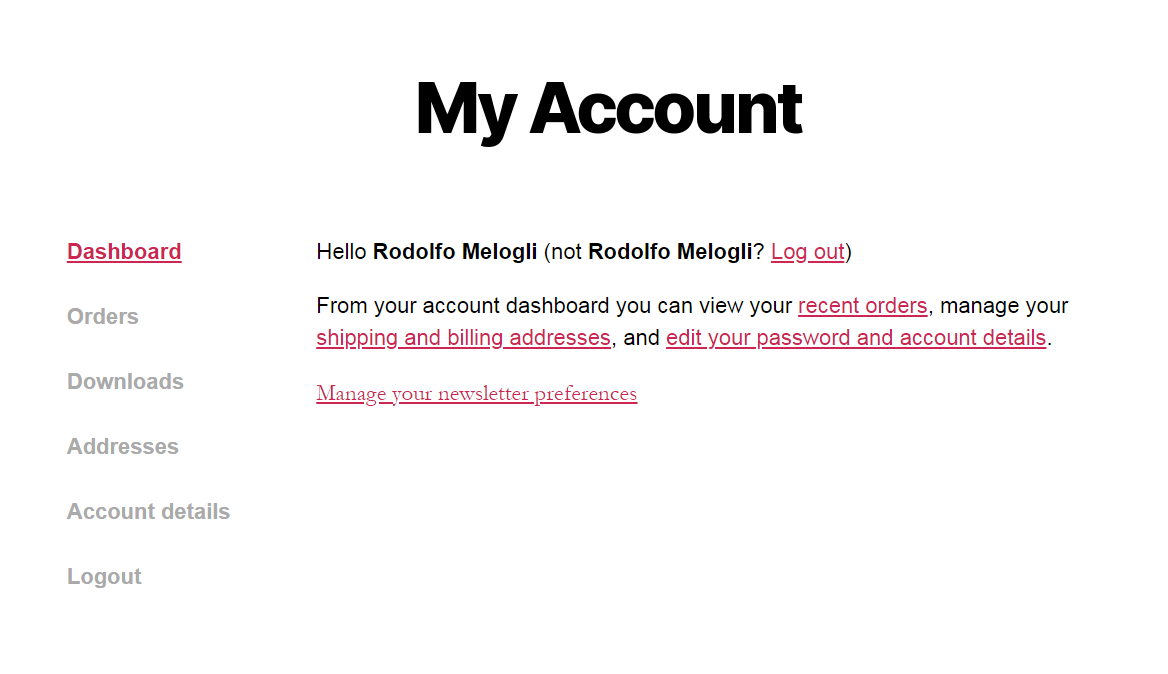
The WooCommerce My Account pages feature a “left sidebar” navigation menu (by default, links are: “Dashboard”, “Orders”, “Downloads”, “Addresses”, “Account details”, “Logout”).

A cool (and easy) improvement may be moving such navigation to the top, and displaying it horizontally instead of vertically. You’d think this is a complex PHP customization… but you’ll feel great when you’ll notice you just need CSS for that.

Please note the CSS may change slightly based on your theme, in case it applies custom CSS to the default WooCommerce My Account navigation panel. I will list below a couple of solutions for default WooCommerce and for the Storefront theme, so at least you have an idea of what you could need in terms of tweaking it. Enjoy!

Continue reading WooCommerce: Horizontal My Account Navigation Menu

WooCommerce: Login Redirect to Previous URL @ My Account

We’ve already seen how to set a custom My Account login redirect URL by user role – but today we want to cover another case scenario: redirecting users to the previous URL (referrer) after logging in from the My Account page.

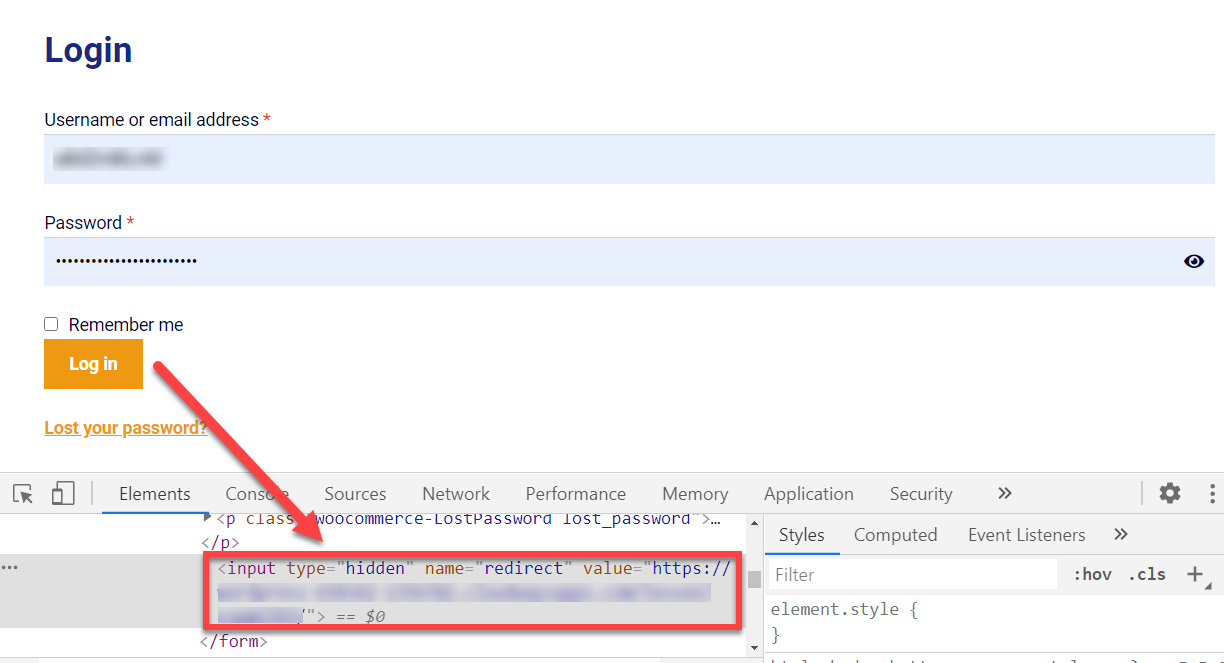
Actually, WooCommerce already prints a hidden input field (“_wp_http_referer“) in the login form thanks to wp_nonce_field(), but for some reason this is not enough to allow the actual redirect.

Thankfully, the WooCommerce process_login() function provides another workaround: if $_POST[‘redirect’] is set, the form will consider redirecting to this URL instead of the default My Account Dashboard! This means we can simply add a new hidden field to the login form with that exact name (“redirect”), so that we can make that function trigger the redirect we want.

Easier coded than said, so let’s see how it’s done. Enjoy!

Continue reading WooCommerce: Login Redirect to Previous URL @ My Account

WooCommerce: Login Redirect by User Role @ My Account

There are times when you don’t want customers to login and be redirected to the default “My Account” dashboard. Maybe because you have a membership site and you want them to go to a custom “Welcome” page, or maybe you wish to send them straight to their “My Account” > “Downloads” subsection.

No matter the why, for sure figuring out how to achieve a custom redirect once a user logs in from the “My Account” page is quite straightforward. The hook we’ll use is called “woocommerce_login_redirect” and allows us to trigger a safe redirect whenever a customer clicks on the LOGIN button. Enjoy!

Continue reading WooCommerce: Login Redirect by User Role @ My Account

WooCommerce: Add a Custom Download File @ My Account

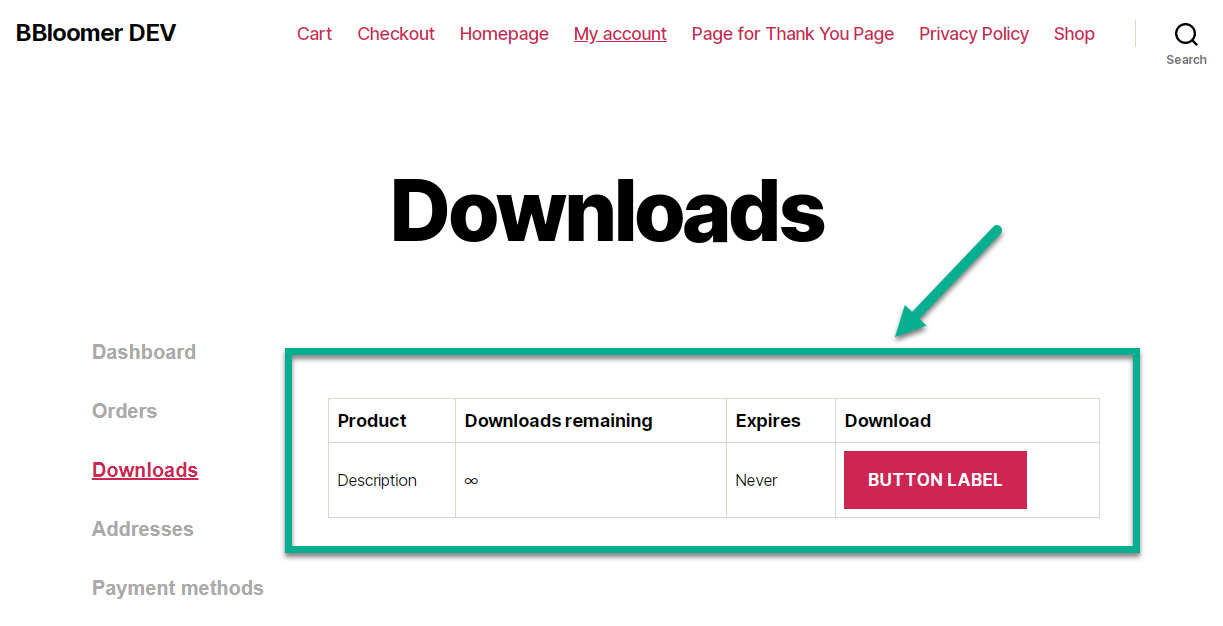
If you sell no downloadable products, the Downloads section of the WooCommerce My Account page will always be empty (in this case, you should completely hide the My Account Download tab). Besides, if you do sell downloadable products but customers never purchased such items, the same will happen.

So, what if you wanted to grant at least a default download file to all your customers? Well, the “woocommerce_customer_get_downloadable_products” WooCommerce filter allows us to add files to the list (empty or non empty) of customer downloadable files. Here’s how it’s done!

Continue reading WooCommerce: Add a Custom Download File @ My Account

WooCommerce: Rename “My Account” If Logged Out @ Nav Menu

You could install a free WordPress plugin to enable “LOGIN / LOGOUT” menu links – or you could use a super simple snippet. Once again, the less plugins you use the better, especially if you can replace them with a few lines of code.

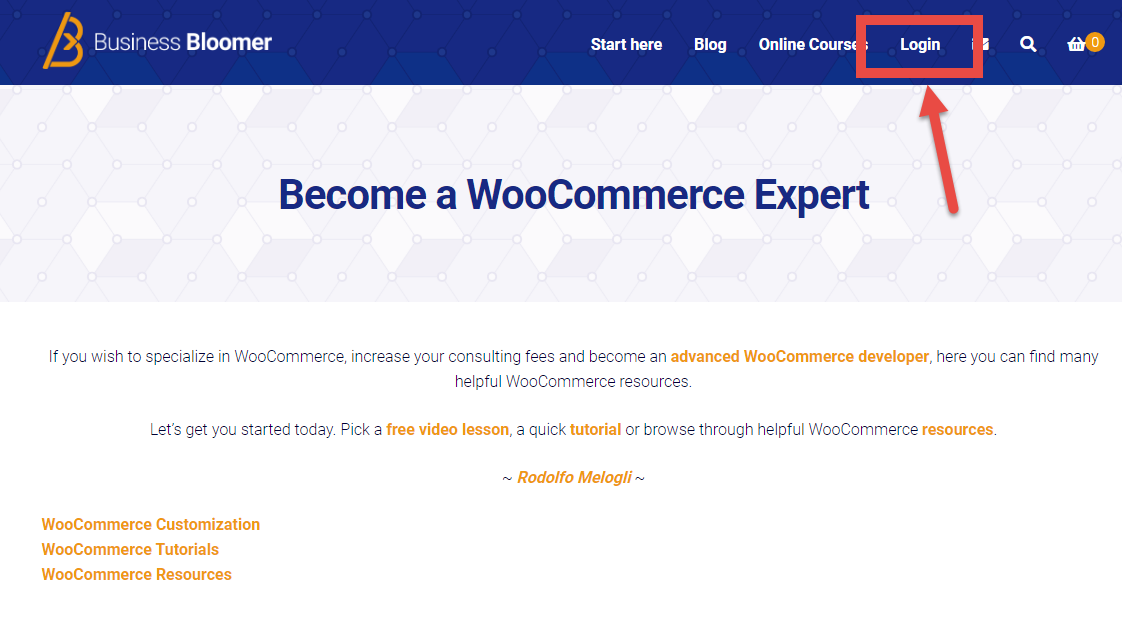
In this case study, I have added the “My Account” page to the navigation menu and I want that label to change to “Login” if the user is logged out. Enjoy!

Continue reading WooCommerce: Rename “My Account” If Logged Out @ Nav Menu

WooCommerce: File Upload @ My Account Registration Form

You can add first and last name to the WooCommerce registration form (easy, no?). Or maybe a custom radio field. And why not, a file upload input – which is able to load an image from the user’s browser, assign it to the form, and add the image to “Media” in your WordPress install.

And today we’ll see exactly that. Unfortunately the “woocommerce_form_field” function does not allow (yet, maybe) to generate file input fields, so we’ll just use basic HTML. Enjoy!

Continue reading WooCommerce: File Upload @ My Account Registration Form

WooCommerce: Deny Automatic Login Upon Registration @ My Account

If you’ve enabled customer registration on the My Account page, you will know that a new user is automatically logged in as soon as they successfully register.

This is great – however in certain cases it could be “dangerous” (for example, if you need to manually approve each user).

As I was searching through the WooCommerce plugin code, I found a great action filter that can immediately stop this from happening – I love one-liners! So, here’s the quick fix.

Continue reading WooCommerce: Deny Automatic Login Upon Registration @ My Account

WooCommerce: Separate Login, Registration, My Account Pages

There are times when you need to send logged out customers to a Login page and unregistered customers to a standalone Register page.

As you know, the WooCommerce My Account page, which contains the [woocommerce_my_account] shortcode, has both Login and Registration forms when registration is enabled on the My Account settings.

This is not always a good idea, mostly when you use landing pages or sales pages with a specific goal e.g. user registration.

Clearly, when this happens, you don’t want to have a login form there as well. My solution provides two new shortcodes, one for the login form and one for the register form, as well as a complete guide to set the whole process up. Enjoy!

Continue reading WooCommerce: Separate Login, Registration, My Account Pages

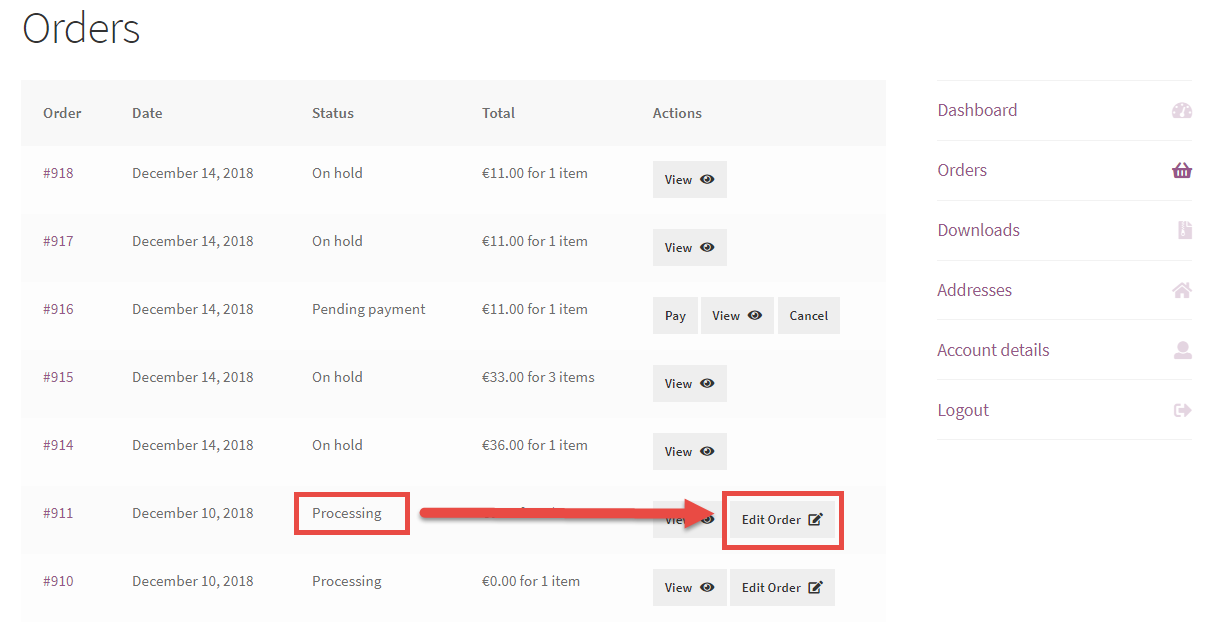
WooCommerce: Allow Users to Edit Processing Orders

How can WooCommerce customers edit an order they just placed and paid for? I swear I looked on search engine results and other places before coming to the conclusion I needed to code this myself.

For example, a user might want to change the delivery date (if you provide this on the checkout page). Or maybe they need to change size, or make up their mind about a given product in the order.

Either way it’s shocking to me this functionality is not in a plugin – as usual if you’re interested in customizing this snippet/plugin for your specific needs feel free to get in touch.

So, let’s see how it’s done!

Continue reading WooCommerce: Allow Users to Edit Processing Orders

WooCommerce: Add Privacy Policy Consent @ My Account Registration

Here’s a snippet regarding the “My Account” registration form and, once again, GDPR. If you get any website traffic from EU, you will need users to give you Privacy Policy consent – including when they register a new account on your WooCommerce website.

So, how do we display a checkbox on the My Account page, at the bottom of the registration form? Continue reading WooCommerce: Add Privacy Policy Consent @ My Account Registration

WooCommerce: How To Make A Website GDPR Compliant? (12 Steps)

Ok, we all know that the EU General Data Protection Regulation (GDPR) will come into force on the 25th May 2018.

So the main question is: what changes do we need to make on our WooCommerce website to become compliant? And another important query might be: how does GDPR affect non-European WooCommerce websites?

In this article, I will tell you EXACTLY what you need to do. There are a million articles and plugins on WordPress GDPR compliance, but there is no “ultimate” blog that tells you what you should be doing.

If you don’t know what GDPR is or need a good refresher, read Wikipedia’s GDPR page or the “Introduction to GDPR Compliance for WooCommerce Stores” on the official WooCommerce blog.

Many blogs I’ve read and WordCamp events I’ve attended didn’t really give me the answers I needed. I don’t particularly care about GDPR itself, I just want to know what I need to do on my WooCommerce website.

So, let’s see what changes you’re required to make.

Please note: I’m not a lawyer and cannot guarantee this article is going to make you 100% compliant – make sure to assess your GDPR compliance with a qualified consultant.

Continue reading WooCommerce: How To Make A Website GDPR Compliant? (12 Steps)

WooCommerce: How to Customize the My Account Page?

Customizing the WooCommerce “My Account” page is one of the most requested features by designers and developers.

The “My Account” page of an ecommerce website is absolutely vital to the smooth running of its operations, should be well designed in order to allow users to fully make the most of account management and – of course – can be customized in order to convert more sales and or entice for return business.

The “My Account” page is an actual WordPress page (you can find it under “Pages”) which contains a WooCommerce shortcode. Such shortcode outputs the default account management tabs and their unique content.

In order to customize the look, feel, layout, content and design of the “My Account” page (and all its subpages of course, such as the “Edit Address” page), you have two different choices. If you’re familiar with PHP customization, almost anything can be achieved with simple snippets: add a custom tab, remove a tab, change the content of a tab, sort tabs, and so on. We’ve seen this already on Business Bloomer but I’ll link to a few articles and tutorials below as a reminder.

The other sleek alternative is to use a plugin. Sometimes, this might be a quick and error-free way to achieve what you need without the need of having to code. It’s up to you – so in this article we will see both methods!

Continue reading WooCommerce: How to Customize the My Account Page?

WooCommerce: How to Merge My Account Tabs

The default WooCommerce My Account tabs are many. Sometimes, they’re too many. In this post, we will see how to “merge” two tabs into a single one.

For example, how can we move the content of the “Edit Address” tab into the “Edit Account” tab – and save users some navigation time?

Continue reading WooCommerce: How to Merge My Account Tabs

WooCommerce: Hide or Rename a My Account Tab

Many WooCommerce websites don’t need the “Downloads” tab in the My Account page. Or maybe the “Addresses” tab needs to be renamed into something more user-friendly 🙂

Well, here are 2 super simple snippets to hide or rename any tabs you have in the My Account page, including custom tabs that are added by plugins such as Account Funds, Subscriptions, and so on.

Simply note down the URL of the tab e.g. “edit-account” (see image) and edit the snippets accordingly. Enjoy!

Continue reading WooCommerce: Hide or Rename a My Account Tab

Posts pagination

  • Previous
  • 1
  • 2
  • 3
  • 4
  • Next

Search WooCommerce Tips

Popular Searches: Visual Hook Guides - Checkout Page - Cart Page - Single Product Page - Add to Cart - Emails - Shipping - Prices - Hosting

Recent Articles

  • WooCommerce: Send Email When a Coupon Is Used
  • WooCommerce: Simple Price Including/Excluding Tax Switcher
  • WooCommerce: Refund Request Button @ My Account
  • WooCommerce: Show or Hide Bank Accounts Based On Order
  • WooCommerce: Save Order Currency Exchange Rate

Latest Comments

  1. Rodolfo Melogli on WooCommerce: Add Checkout Fee for a Payment Gateway (e.g. PayPal)
  2. Rodolfo Melogli on WooCommerce Orders With No Customer and Zero Value
  3. Johnny on WooCommerce Orders With No Customer and Zero Value

Find Out More

  • Become a WooCommerce Expert
  • Business Bloomer Club
  • WooCommerce Blog
  • WooCommerce Weekly
  • Contact

Contact Info

Ciao! I'm Rodolfo Melogli, an Italian Civil Engineer who has turned into an international WooCommerce expert. You can contact me here:

Twitter: @rmelogli

Get in touch: Contact Page

Business Bloomer © 2011-2026 - VAT IT02722220817 - Terms of Use - Privacy Policy

Cart reminder?

x