WooCommerce: 4 Reasons You Should Use a .STORE Domain

This is a guest post by Suman Das of Radix – if you like the article, make sure to thank him in the comments!

Now that you’re planning to sell online, you need to create your own brand. And while WooCommerce can help you develop a slick ecommerce website, building a great brand starts with picking a great domain name.

When it comes to effective brand building and harboring customer trust, your domain name plays a crucial role. It’s the first touchpoint for your customers and helps them get an understanding of what awaits them on your website. Paid marketing campaigns and special offers can help you convert traffic quickly, but to thrive in the long run it’s essential that you build an outstanding BRAND.

Your WooCommerce website is a virtual storefront, so why not use a brand new and very relevant .STORE domain name instead of a .COM? It’s a smart way to highlight the fact that you sell something on your website… without having to explain it through your brand name.

So, here are some reasons you should consider registering a .STORE domain for your WooCommerce website.

Continue reading WooCommerce: 4 Reasons You Should Use a .STORE Domain
WooCommerce: How to Keep Your Customers Loyal?

This is a guest post by Michael Lazar of ReadyCloud – if you like the article, make sure to thank him in the comments!

Customers are the backbone of any ecommerce store, but loyal customers are the shining stars. They cost less to retain, and they are easier to sell to – not to mention that they’ll do some of your marketing for you via social media.

The biggest names in ecommerce right now are thriving because of their loyal customers. Amazon Prime, for example, has over 100 million subscribers, and Zappos does 75% of their business with repeat customers.

Have you ever wondered how these internet giants have captured and retained customers?

Surprisingly, their tactics are not as expensive and time-consuming as you might think. Even as a small WooCommerce e-tailer, you can provide a shopping experience that will keep your customers coming back.

And here are five ways to make it happen. Continue reading WooCommerce: How to Keep Your Customers Loyal?

WooCommerce Request a Quote: Why Choose “Product Enquiry Pro”?

This is a guest post by Saket Paliwal of Wisdmlabs – if you like the article, make sure to thank him in the comments!

Quality leads are tough to capture in any business. If you think getting traffic is the hardest part, converting it into sales is a whole other challenge. It’s difficult to identify why a lead might not make a purchase – they might not find what they’re looking for, your product might be too expensive or certain items could be out of stock – you’d never know the exact reason until you hear it from the customers themselves.

In a retail store, here’s where a salesperson would come into the picture. If a customer had a question, they’d just walk up to the salesperson and ask their questions.

On a WooCommerce website, however, you have to make use of contact forms or live chat to “talk” to prospective customers like an in-store salesperson would. These pre-sale questions are barriers to sales. You need to make sure every customer query is resolved if you wish to increase the chances of a purchase. Continue reading WooCommerce Request a Quote: Why Choose “Product Enquiry Pro”?

WooCommerce: How to Enable Product Filters (i.e. “Ajax Filters”)?

If your WooCommerce store has many products, online customers might get easily lost. There might be way too many pages to visit (“product pagination”) before finding the product they’re looking for. Needless to say, this is a huge loss for your business. Possibly, they’ll never come back.

If you shop on popular ecommerce websites such as Amazon and eBay, you know they carry a billion products each or so. Thankfully, on top of the very useful search bar, these websites provide “product filters” in the sidebar. You can refine by price, reviews, tag, category and so on; the website won’t “refresh” but instead it will return the filtered results immediately on that same page.

These are called “Ajax Product Filters” (Ajax is a set of applications that run in the background without forcing a website page refresh). And as Amazon and eBay just proved to you, these filters are absolutely a must if you have 100+ WooCommerce products.

Luckily, there are plugins for that. And they’re either free or quite cheap when you compare this small cost to your potential Return On the Investment (ROI).

Besides, if you have lots of products you also already have several WooCommerce product categories, product tags, product attributes, product custom fields, prices, stock statuses. This means that implementing Ajax Product Filters in your WooCommerce store might be a matter of 10 minutes: activate the plugin, choose the filter criteria and your users will automatically see a smooth filter widget in the sidebar!

So, what are the best “WooCommerce Ajax Product Filter” plugins?

Continue reading WooCommerce: How to Enable Product Filters (i.e. “Ajax Filters”)?

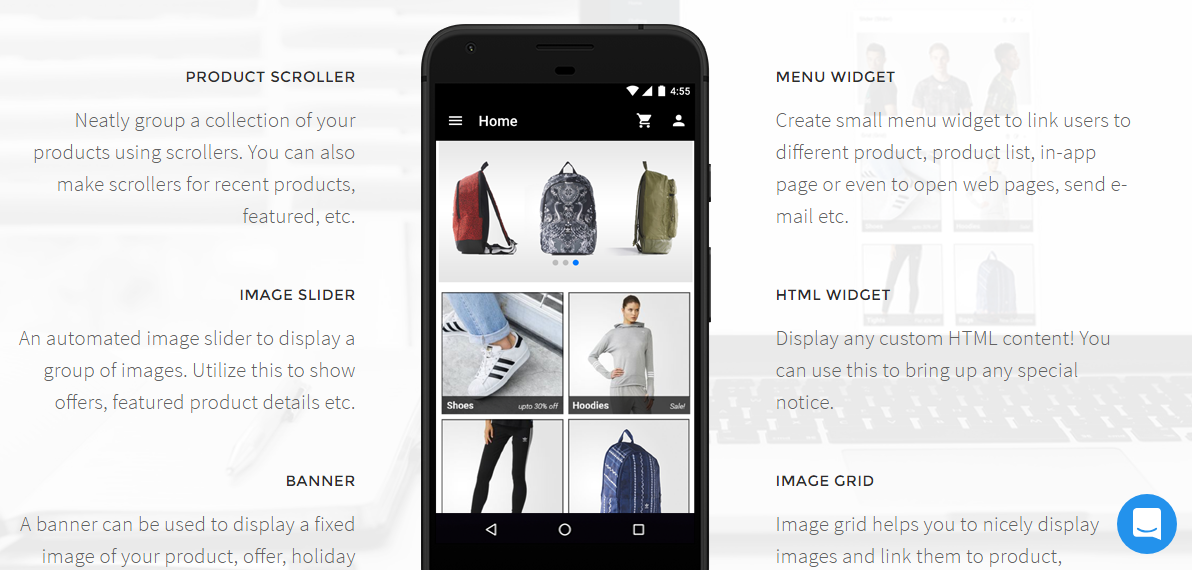
WooCommerce: How to Create a iOS / Android App?

This is a guest post by Saleeh K. of Appmaker – if you like the article, make sure to thank him in the comments!

If you own a WooCommerce website, this is the best time to creating an app for your existing and potential customers. According to statista, Google Play store had 3.8M applications and Apple store carried about 2 million apps in Q1 2018. The total app download number was 178+ billion and the same study revealed that this figure will grow to 258 billion by 2022.

While making sure your website is 100% responsive and looks great on mobile phones and small devices, a WooCommerce app can allow your customers to benefit from:

  • faster access
  • personalized content
  • optimized user experience
  • push notifications
  • purchase without logging in
  • better user engagement

However, the major issue faced while getting an app done is definitely its development cost. Right now, hiring a development agency to develop a simple app can cost you USD $5,000-10,000. Apps are not cheap.

Besides, the number of app development agencies is constantly increasing (given the potential earnings and the growing market demand) – and unfortunately the chances you might run into a not-so-professional team of developers are also getting bigger.

Well, have you ever thought of creating an app without worrying about anything (including its price)? The great news is that you can now create a WooCommerce app without any coding skills. And this is exactly what we’ll see in this tutorial. Continue reading WooCommerce: How to Create a iOS / Android App?

WooCommerce: How To Do Keyword Research?

This is a guest post by Helga Moreno of Ahrefs – if you like the article, make sure to thank her in the comments!

I’m sure all of you know that keyword research is one of the most important SEO activities that is closely related to your WooCommerce website marketing success.

I also have no doubt that you have already studied a heap of articles that include step-by-step instructions on doing expert keyword research aimed at ranking high for thousands of targeted search terms and seriously improving your traffic from Google.

But there is a strange thing about it. Every article gives a bit different instructions. I don’t argue the competence of their authors. The reason for such kind of discrepancy is hidden in the fact that there is no universal approach to doing keyword research.

So what should be taken into account when you do keyword research?

  • Your website’s authority, number of pages, quality of content, etc.
  • Your goals and objectives – branding, exposure, traffic, leads, sales
  • Your budget, resources, and deadlines
  • Your industry and competitive landscape

I guess now you understand the reason why it was so hard to follow the steps of the guides you stumbled upon before.

We will take a different route. I mean I will give you a kind of keyword research framework that you will easily adapt to the goals of your WooCommerce install.

You’ll see that the tactics and methods described below will utterly improve your traffic coming from Google. Continue reading WooCommerce: How To Do Keyword Research?

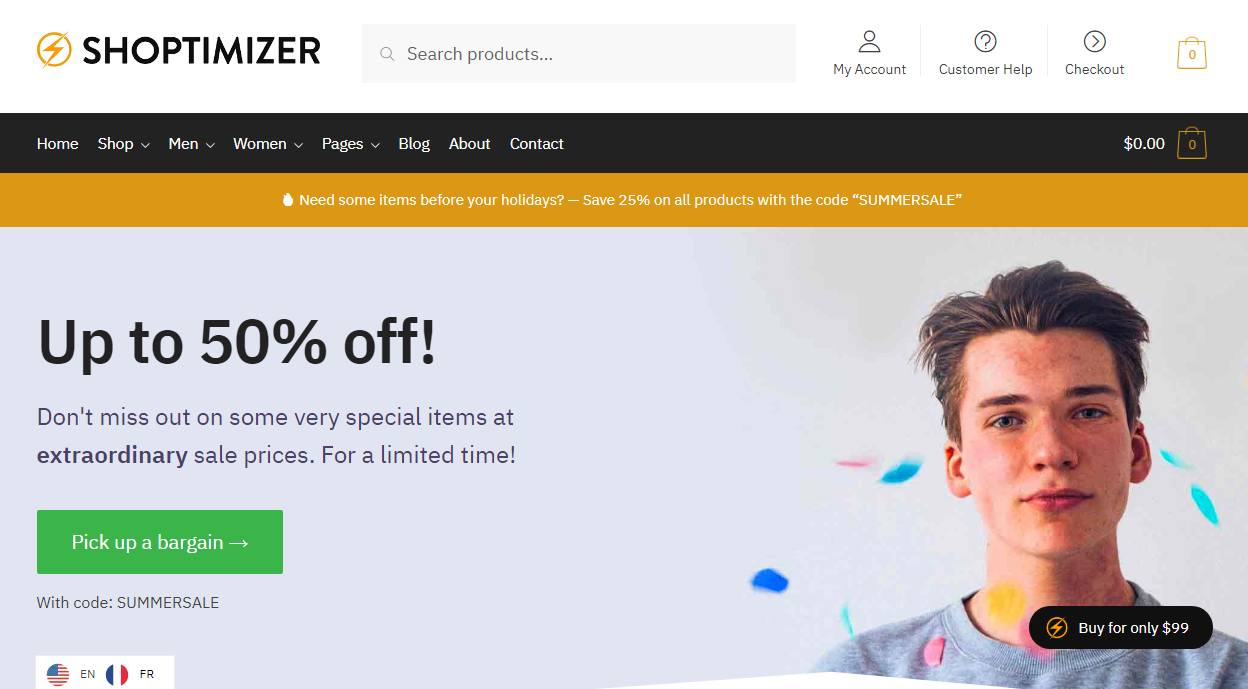
WooCommerce: How to Improve the Speed of my Store?

This is a guest post by Simon Tomkins of CommerceGurus – if you like the article, make sure to thank him in the comments!

The speed of your WooCommerce store is incredibly important when it comes to converting visitors into customers. Research has shown that even a one second delay can result in 7% of lost orders.

If your WooCommerce site is making $1,000 per day, that one second delay in load time could potentially cost you $25,000 in annual lost sales – not small change! If you are the lucky owner of Amazon, a one second delay in 2017 could have meant a $178 billions * 0,07 = $12.5 billions loss in net revenue…

Once again, a slow WooCommerce website is costing you money.

I spent a great deal of time researching website speed and performance optimization before creating our Shoptimizer WooCommerce theme. Some of the statistics are staggering:

  • 73% of mobile users have abandoned a site due to it taking too long
  • 47% of people expect a site to load in 2 seconds or less
  • 79% of people who encounter a performance issue won’t return again to buy

So, a slow WooCommerce site means unhappy visitors and the loss of potential revenue to competitors.

And today we’ll briefly see what you can do to speed up your WooCommerce website – these are proven performance optimization tricks that can have an immediate impact on your sales conversion rate 🙂

Continue reading WooCommerce: How to Improve the Speed of my Store?

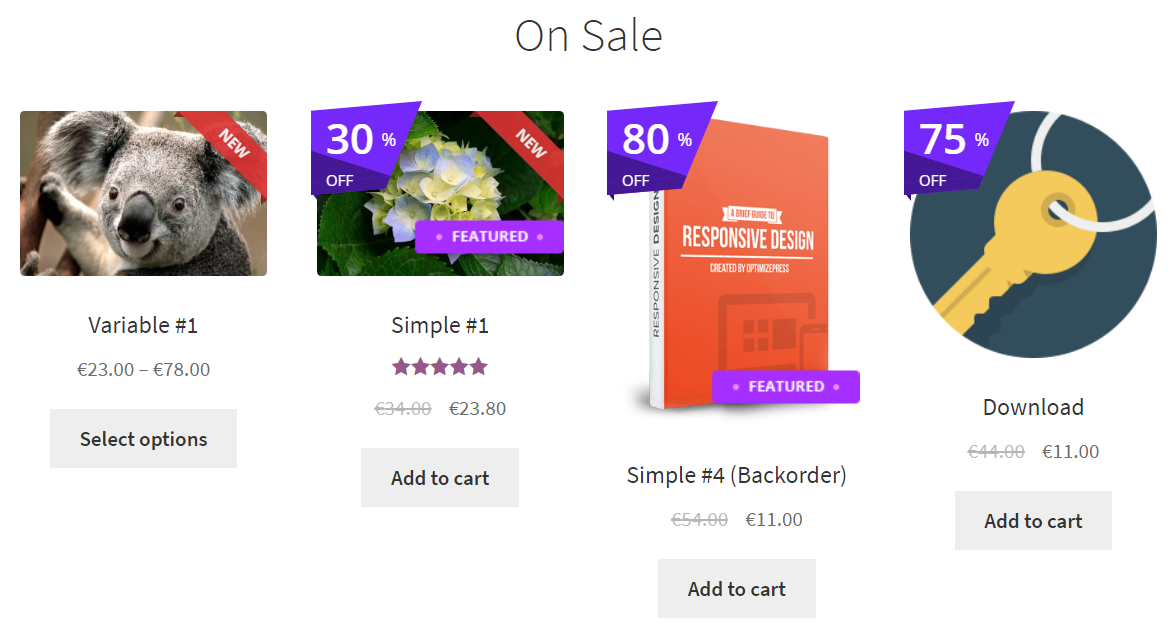
WooCommerce: How to Display Custom Product Badges (e.g. %OFF, NEW, FREE)?

You would know by now ecommerce customers buy products for different reasons. Your store products might be cheaper than your competitors, maybe you offer better shipping rates, possibly you restock products more quickly than anyone else – or simply you’ve got a great product people keep buying.

One way to display your product features and benefits on the Shop page is by using “product badges”, a series of display messages that are able to communicate with the user immediately.

You’re probably already familiar with the “SALE!” badge that WooCommerce gives us by default. What if you wanted to show the exact percentage amount of that offer?

You’re also aware of the “Featured” option for WooCommerce products. Yes, they show in the “Featured” product shortcode, but what if you wanted the shop to display these special products in a different way, i.e. by using a special badge?

Well, there are millions of examples on how you could improve your products page (and single product page) by making the most of product badges. Thankfully there are snippets and plugins that can help you with that.

A little investment might mean better click-through rates and therefore higher conversion rates!

Continue reading WooCommerce: How to Display Custom Product Badges (e.g. %OFF, NEW, FREE)?

WooCommerce: How to Sell Product Customizations & Add-Ons

Product customization has been revolutionizing ecommerce in the last 5 years. And WooCommerce store owners, if possible, should look into offering additional product options, add-ons, personalizations, custom text and whatever can make a mass product unique to each single customer.

You can now pick your shoe colors, engrave a message on jewelry, upload your own graphics on t-shirts, pick your own ingredients, select custom materials and so on. Correct, some very smart marketer found out a way to sell the same exact product to a bunch of very different, demanding people and make them all 100% happy – while also increasing average order value (AOV), margins, profits, return business and decreasing returns, bad feedback and churn rate.

Most of us rely on WooCommerce product variations to sell the same product in different “sizes” or “colors”… but this has got nothing to do with product “add-ons”. With a product add-ons plugin, you can sell additional options and personalizations on top of the existing product attributes.

Good news is there are free and premium plugins that can help you implement product options, customization and add-ons… and eventually increase your profit.

Continue reading WooCommerce: How to Sell Product Customizations & Add-Ons

WooCommerce: How to Enable Catalog Mode?

One of the most common WooCommerce questions is: can I use WooCommerce to build a catalog of products (without add to cart, price… basically a product gallery)? Using WooCommerce for this case scenario is indeed very helpful – you can make the most of all the inbuilt features such as single product gallery and carousel, image zoom, product description tabs, attributes, categories, tags and related products. Basically a much better version than a standard image gallery.

Another question might be: can I disable the WooCommerce add to cart / cart / checkout functionality until the time I am able to sell my products? This is another common scenario that many WooCommerce store owners require.

Besides, certain products in your WooCommerce website might be for sale and others might not. In this case, you’d want to disable the add to cart functionality from specific categories or products.

Finally, you might want to restrict the cart / checkout functions to logged in, registered users only. This is if you run a wholesale business for example, and wish to hide your prices to the public.

Either way, when the “Add to Cart” button gets hidden, a contact form might be required – this is what I call a “Product Inquiry” form.

Good news is there are snippets and plugins that can make your life easier, your admin time more efficient and your product management simpler. And today we’re taking a look at the best options.

Continue reading WooCommerce: How to Enable Catalog Mode?

WooCommerce: Get Order Data (total, items, etc) From $order Object

As a WooCommerce development freelancer, every day I repeat many coding operations that make me waste time. One of them is: “How to get ____ if I have the $order variable/object?“.

For example, “How can I get the order total“? Or “How can I get the order items“? Or maybe the order dates, customer ID, billing info, payment method, order status, and so on… hopefully this article will help you save time as well!

As we’ve seen in other articles, get product info from $product object and get cart info from $cart object, not always you can have direct access to the $order variable.

Sometimes, you may have the $order_id available for example. In that scenario, you can “get” the order object with the wc_get_order WooCommerce function.

It’s also possible to gain $order information if you are in an email template. This can be helpful to show additional $order information in your transactional communications or trigger custom functions. Either way, enjoy!

Continue reading WooCommerce: Get Order Data (total, items, etc) From $order Object

WooCommerce: How to Bulk Edit Products?

You want your website visitors to checkout fast, pay you faster and receive their item quickly. However, speed matters for us WooCommerce store owners as well.

By looking at this year’s time-sheets for my own business, about 50% of the time was spent between marketing and admin – and the “admin” part is the one we’re tackling today.

If you run a busy WooCommerce shop with hundreds of products, you probably noticed how annoying it is to edit products one by one.

Yes, the WooCommerce admin dashboard allows us to do certain bulk edits a la WordPress, however you must play with the “screen options” and also the filtering is not good enough.

On the other end, as WooCommerce managers we’re probably more familiar with Excel-alike spreadsheets where all our products are editable with a single click in a specific cell.

Good news is there are plugins that can make your life easier, your admin time more efficient and your product management simpler. And today we’re taking a look at the best options.

Continue reading WooCommerce: How to Bulk Edit Products?

WooCommerce: How to Run an Affiliate / Referral Program?

There is no doubt – one of the fastest, most affordable and easiest ways to increase your WooCommerce sales is to “hire your own customers”.

You’ve probably heard of affiliate commissions, referral programs, influencer marketing, brand ambassadors and so on. Online brands are doing all they can to promote this strategy and tap into their fans’ communities.

As a WooCommerce store owner, no matter whether you sell digital or physical products, you should definitely give an affiliate program a go. Besides, what if I told you enabling such a complex system was actually super easy?

With a simple plugin you can immediately add an affiliate marketing program to your WooCommerce website, give registered affiliates their own dashboard with statistics and revenue, pay them via PayPal or Stripe either manually, immediately or monthly and basically do absolutely no coding or complex set up.

Decide your referral commission (e.g. $10 per product, or 15% per order), install the affiliate plugin, contact all your existing customers, subscribers, fans, followers and see your sales grow.

For such a little investment, your returns might be reasonable enough and there is really nothing stopping you from implementing this today.

In this article, we’ll take a look at some of the most reliable WooCommerce Affiliate plugins. They all do the trick, so it’s up to you to make that final choice.

Continue reading WooCommerce: How to Run an Affiliate / Referral Program?